One account for all your companies
Connected Website and POS
Smart Business Calendar
Automatic Invoice Exchange
VAT Threshold Control
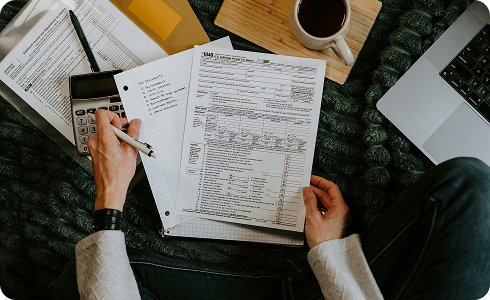
Built from 19 years of real accounting experience

Sumara was created by accountants who understand how businesses actually operate.
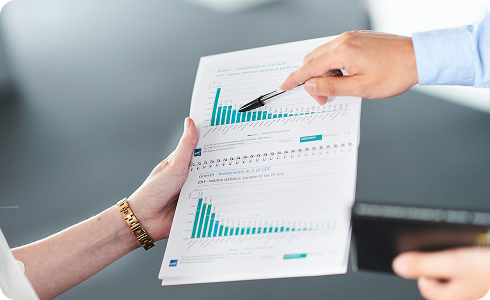
Every function was developed to solve a real problem faced by business owners, employees and accountants.
Stop Managing Separate Systems
Start Managing Your Business.
Most businesses use separate platforms for their website, POS, invoices, appointments, stock, documents, tasks and accounting.
Sumara brings these processes together inside one connected ecosystem.
Traditional setup
- ✕ Separate website
- ✕ Separate POS
- ✕ Separate invoicing software
- ✕ Separate calendar
- ✕ Separate task manager
- ✕ Separate document storage
- ✕ Separate reporting system
- ✕ Separate accountant access
With Sumara
- ✓ One Account. One Database. One Ecosystem.
- ✓ No repeated data entry
- ✓ No disconnected records
- ✓ No switching between multiple platforms
- ✓ No searching for information across different systems
Connected Ecosystem
A customer can enter your business through your website, purchase through your POS, receive an invoice, make a payment and appear in your reports — while the same information remains available to your team and accountant.
Multi-Company Management
Manage multiple self-employed businesses and limited companies from one Sumara account.
Move between your companies without creating separate user accounts or remembering different login details.
What you can do
Business Calendar
The Sumara Business Calendar brings together financial obligations, appointments, tasks, expected payments and reporting deadlines.
Instead of searching through invoices, emails and spreadsheets, you can see what needs to happen today.


Your business does not just store information. It tells you what to do next.
Start FreeSmart Task Queue
When a task is not completed, Sumara automatically moves it forward to the next day.
The unfinished work remains visible and forms a clear queue until it is completed.
Financial Calendar
Sumara uses invoice due dates to help you plan incoming and outgoing payments.
Incoming payments. See
Outgoing payments. See
Automatic Invoice Exchange
When you send an invoice to another Sumara user, the system automatically recognises the recipient.
The invoice is still delivered by email, but it also appears directly inside the customer's Sumara account.
Supplier side
The invoice remains in Sales Documents
Customer side
The same invoice appears automatically in: My Documents → Purchases
The customer does not need to:
My Documents
Store and organise important company documents inside Sumara. Keep invoices, statements, receipts and company records organised and accessible to authorised users.
Employees and accountants can receive access without documents being repeatedly exchanged by email.
Document folders
VAT Threshold Control
Sumara helps non-VAT-registered businesses remain aware of their turnover and prepare for registration when required.
As sales are recorded, Sumara shows how much of the threshold has been used and how much remains.
Dashboard example
Alerts
Compliance and Reporting Control
Sumara helps businesses and accountants organise important filing and reporting dates.
Examples
See what is completed, what is coming and what requires immediate attention.
| Company Obligation | Due date | Status |
|---|---|---|
| ABC Limited VAT Return | 5 days | Upcoming |
| Example Trading Annual Return | 12 days | In progress |
| Sample Services Accounts | Today | Action required |
| XYZ Limited Payroll | Completed | Done |
Website and POS
Sumara does not treat your website and POS as separate services.
Sales and customer information can move into the same business environment used for invoices, stock, documents, payments and reporting.
Website
POS
Invoicing
Prepare and send invoices without rebuilding the same information every time. Create faster, reduce errors and keep every transaction connected to the customer and company.
Quotations and Sales Process
Create a quotation, send it to the customer and continue the transaction inside Sumara.
Customer journey
Appointments
Manage Appointments Alongside the Rest of Your Business
Appointments are connected with customers, employees, services, invoices and payments.
Use Sumara to
Customers and Suppliers
Keep customer and supplier information connected to the documents and transactions related to them.
Customer records
Supplier records
Stock and Inventory
Manage products and stock alongside POS, website sales, purchases and invoices.
Features
Employees and Permissions
Invite employees, managers, business partners and accountants to Sumura using their email address.
The owner remains in control of what each user can view or change.
Access can be configured for
Accountant Access
Invite your accountant to access the business information relevant to their work.
The accountant can work with multiple clients from one Sumura account.
For businesses
For accountants
Reporting
Sumura brings information from connected business activities into one reporting environment.
View each company separately and move between your businesses from one account.
Monitor
One Platform. Every Industry.
Every industry. One connected ecosystem. Configured around the way your business works.
Business Type
Industries


Why Businesses Choose Sumura
Most businesses use separate platforms for their website, POS, invoices, appointments, stock, documents, tasks and accounting.
Sumura brings these processes together inside one connected ecosystem.
Traditional business software
Sumura
Your Business.
Connected. Organised. Under Control.
- One account for your companies.
- One ecosystem for your business.
- One clear view of what needs to happen next.
Built for self-employed professionals, limited companies and accountants.